TBitBtn
Deutsch · English · Español · Français · Polski · Suomi · Русский · 日本語
TBitBtn  is a component that creates a button with a bitmap drawn on its surface. A TBitBtn is a descendant of TWinControl and is available under the Additional tab of the Component Palette.
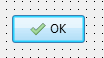
To make usage of standard buttons a bit easier a TBitBtn has a property Kind that let you select a buttonkind like bkOk to create an [Ok] button with text and corresponding picture (accessible as Glyph and a modal-result 'mrOk').
Positioning of glyph and caption can be controlled by means of these properties:
Layoutis an enumeration ofblGlyphLeft,blGlyphRight,blGlyphTopandblGlyphBottomwhich determines whether the glyph will be placed at the left, right, above or below the caption, respectively. Default:blGlyphLeft.Marginis the distance between the edge of the button and glyph, in pixels. The value -1 means that the combination of glyph and caption is centered within the button. Default:-1.Spacingis the distance between the glyph and the caption, in pixels. The value -1 means that the caption is centered between glyph and button edge. IfMarginis -1, too, then glyph and caption will be equally distributed within the button area. Default:4.
If you have several vertically stacked BitBtn components (with Layout=blGlyphLeft) on a form and want to left-align glyphs and captions set Margin and Spacing to some positive value, such as 4.
See also
From the Free Pascal wiki, page "TBitBtn", as it stood on 2024-03-24 after a change by Ariben, out of the wiki's dump of 2024-05-26. Copyright stays with the author who wrote it, according to the old wiki's Licensing page. If you have concerns about this material, message the admin.