IDE Window: Debug Output
Deutsch · English · Español · Русский
Navigation
Main Menu > View > IDE Internals > Debug Output
Important
You must setup the debugger and start the project to debug it. Only then is this window useful.
Overview
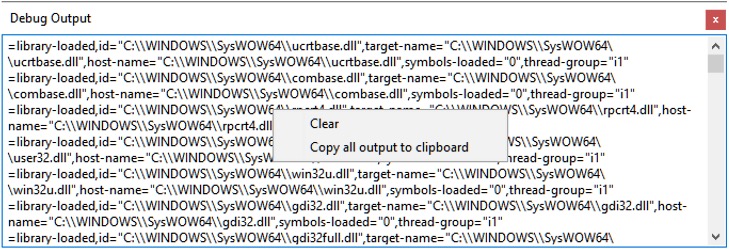
This window shows the commands and answers between the IDE and the debugger.
The window is not needed for normal debug operation. It may provide useful information, if the debugger itself fails to work as expected.
Context menu
Clear: Clears the output.
Copy All Output to Clipboard: Copies the content of the window to the ClipBoard.
From the Free Pascal wiki, page "IDE Window: Debug Output", as it stood on 2021-02-01 after a change by Trev, out of the wiki's dump of 2024-05-26. Copyright stays with the author who wrote it, according to the old wiki's Licensing page. If you have concerns about this material, message the admin.