BGRABitmap/zh CN
Deutsch · English · Español · Français · Русский · 中文(中国)
说明
BGRABitmap 是一个用来创建和更改透明图像(具有alpha 通道)的单元集. 直接像素访问允许进行快速的图像处理. 这个库已在 Windows, Ubuntu 和 Mac OS X 平台测试通过(最后的版本不能在 Mac平台工作), 以及各平台的小部件集 win32, gtk1, gtk2 和 carbon.
其中主要的类是 TBGRABitmap, 派生自 TFPCustomImage. 还有一个类 TBGRAPtrBitmap 允许编辑已经分配的 BGRA 数据. 每个像素的格式包括4个字节 (顺序为 蓝, 绿, 红 和 alpha.
使用 BGRABitmap
教程
概述
为了便于理解,函数的命名比较长. 其中的任何功能如函数或使用TBGRABitmap对象的属性都是容易理解的. 例如, 你可以使用CanvasBGRA作为画布,这和TCanvas类似 (但具有透明度和反锯齿),并且可以使用Canvas2D来实现类似 HTML canvas的一些功能.
一些特定的功能需要依赖一些单元的引用, 但你可能不需要使用它们 :
- TBGRAMultishapeFiller 实现多边形的反锯齿节点(交叉点),在 BGRAPolygon 单元中
- TBGRATextEffect 在 BGRATextFX 单元中
- 2D 转换在 BGRATransform 单元中
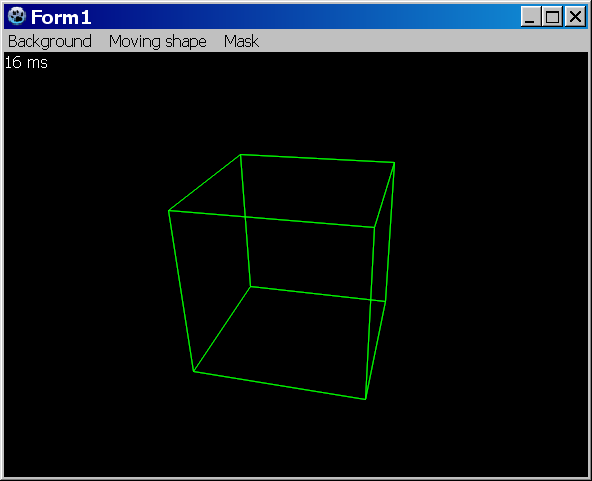
- TBGRAScene3D 在 BGRAScene3D 单元中
- 如果你需要用到层, BGRALayers 单元提供了 TBGRALayeredBitmap
双缓冲并不包含在 BGRABitmap 单元中, 因为其更多的是关于如何处理窗口. 如果要使用双缓冲技术, 你可以使用 TBGRAVirtualScreen ,包含在 BGRAControls 组件包中. 此外, BGRABitmap中双缓冲和其它任何缓冲用法一样. 你需要一个位图来存储你的绘图,然后使用一条绘图指令将其显示出来.
简单示例
你必须在你的工程中引用 BGRABitmap 单元:
Uses Classes, SysUtils, BGRABitmap, BGRABitmapTypes;单元 BGRABitmapTypes 包含所有必要的定义, 对于仅仅加载和显示位图,可以只声明引用 BGRABitmap. 然后, 首先创建一个 TBGRABitmap 对象:
var bmp: TBGRABitmap;
begin
  bmp := TBGRABitmap.Create(100,100,BGRABlack); //creates a 100x100 pixels image with black background

  bmp.FillRect(20,20,60,60,BGRAWhite, dmSet); //draws a white square without transparency
  bmp.FillRect(40,40,80,80,BGRA(0,0,255,128), dmDrawWithTransparency); //draws a transparent blue square
end;
最后显示位图:
procedure TFMain.FormPaint(Sender: TObject);
begin
  bmp.Draw(Canvas, 0, 0, True); // draw the bitmap in opaque mode (faster)
end;
概念
位图中带有透明特性的像素被保存为4个值, 这里是4个字节,其顺序为 蓝, 绿, 红, Alpha. 最后一个通道定义了透明度 (0 代表 完全透明, 255 代表完全不透明), 其它通道定义了颜色和亮度.
基本上又两种绘图模式. 第一种是直接替换像素信息, 第二种是已有的像素和新的进行混合, 称为alpha通道混合.
BGRABitmap 的函数提供4种模式:
- dmSet : 替换绘制像素的4个字节, 不处理透明度
- dmDrawWithTransparency : 使用 alpha混合绘制并进行 gamma 矫正 (see below)
- dmFastBlend or dmLinearBlend : 使用alpha混合绘制但不进行gamma矫正 (更快速 但会带有轻度的颜色畸变).
- dmXor : 对个组件进行异或(Xor)操作,包括alpha (如果只反相颜色而保持alpha, 使用 BGRA(255,255,255,0) )
集成的绘图功能
- 绘制/擦除 像素
- 画线(带或不带抗锯齿)
- 浮点坐标
- 浮点画笔宽度
- 矩形 (边框 或 填充)
- 椭圆 和 多边形 (带有抗锯齿)
- 样条计算 (圆曲线)
- 简单填充 (Floodfill) 或 渐进式填充
- 颜色渐变渲染 (线性, 放射...)
- 圆角矩形
- 带透明特性的文本
使用Canvas绘图
开始使用一个Canvas 对象进行绘图, 使用通常的功能,但不具有反锯齿功能. 通过CanvasOpacity 属性定义绘制的透明度. 这张方法是很慢的,因为它需要进行图像转换. 如果你可以,改用 CanvasBGRA,它允许透明度和抗锯齿功能,同时与 TCanvas 具有相同的函数名。
直接像素访问
要想访问像素, 要用到两个属性, Data 和 Scanline. 前一个给出图像第一个像素的指针, 第二个给出指定行的第一个像素的指针.
var
  bmp: TBGRABitmap;
  p: PBGRAPixel;
  n: integer;

begin
  bmp := TBGRABitmap.Create('image.png');
  p := bmp.Data;
  for n := bmp.NbPixels-1 downto 0 do
  begin
    p^.red := not p^.red;  //反转 红色 通道
    inc(p);
  end;
  bmp.InvalidateBitmap;  //注意 这里我们直接访问像素
  bmp.Draw(Canvas,0,0,True);
  bmp.Free;
end;该例中,在后面调用Draw之前调用函数InvalidateBitmap来重建图像是有必要的. 注意行的顺序可以反转, 取决于LineOrder 属性.
另请参阅 直接像素访问方法.
图像处理
可用滤镜 (prefixed with Filter) :
- Radial blur : 非定向模糊
- Motion blur : 定向模糊
- Custom blur : 根据掩码模糊
- Median : 计算每个像素周围颜色的中位数,并具有边角柔化
- Pixelate : 用同色矩形简化图像
- Smooth : 柔化整个图像, complementary to Sharpen(锐化补充?)
- Sharpen : 色彩锐化, complementary to Smooth(柔化补充?)
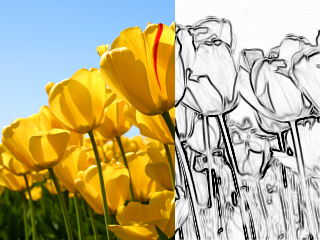
- Contour : 在白色背景上绘制轮廓(像铅笔画)
- Emboss : 绘制带阴影的轮廓
- EmbossHighlight : 绘制由灰度定义的所选内容的轮廓
- Grayscale : 将色彩转换为灰度值,带有gamma矫正
- Normalize : uses whole range of color luminosity 使用全域色彩亮度
- Rotate : 以一点为圆心旋转图像
- Sphere : 扭曲图像,使其看上去像在球体上的投影
- Twirl : 旋转扭曲图像
- Cylinder : 扭曲图像,使其看上去像在圆柱上的投影
- Plane : computes a high precision projection on a horizontal plane. This is quite slow.
- SmartZoom3 : resizes the image x3 and detects borders, to have a useful zoom with ancient games sprites
Some functions are not prefixed with Filter, because they do not return a newly allocated image. They modify the image in-place :
- VerticalFlip : 垂直翻转图像
- HorizontalFlip : 水平翻转图像
- Negative : 负片
- LinearNegative : 负片,不带gamma矫正
- SwapRedBlue : 交换红色和蓝色通道 (在 BGRA 和 RGBA之间转换)
- ConvertToLinearRGB : 从 sRGB 转换为 RGB. 注意,当使用dmDrawWithTransparency时,BGRABitmap用sRGB格式,而使用dmLinearBlend时,BGRABitmap用RGB格式.
- ConvertFromLinearRGB : 从RGB转换为sRGB.
图像混合
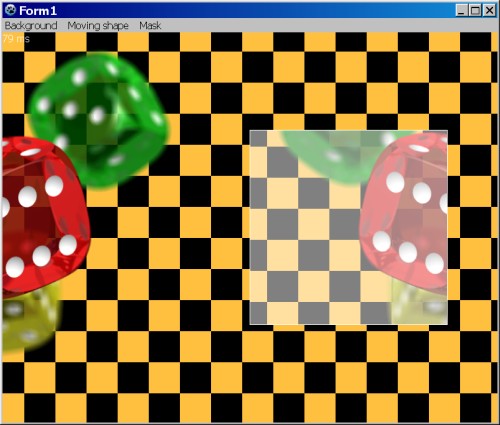
PutImage is the basic image drawing function and BlendImage allows to combine images, like layers of image editing softwares. Available modes are the following:
- LinearBlend : simple superimposition without gamma correction (equivalent to dmFastBlend)
- Transparent : superimposition with gamma correction
- Multiply : multiplication of color values (with gamma correction)
- LinearMultiply : multiplication of color values (without gamma correction)
- Additive : addition of color values (with gamma correction)
- LinearAdd : addition of color values (without gamma correction)
- Difference : difference of color values (with gamma correction)
- LinearDifference : difference of color values (without gamma correction)
- Negation : makes common colors disappear (with gamma correction)
- LinearNegation : makes common colors disappear (without gamma correction)
- Reflect, Glow : for light effects
- ColorBurn, ColorDodge, Overlay, Screen : misc. filters
- Lighten : keeps the lightest color values
- Darken : keeps the darkest color values
- Xor : exclusive or of color values
These modes can be used in TBGRALayeredBitmap, which makes it easier because BlendImage only provides the basic blending operations.
屏幕快照
许可
修改的 LGPL
作者: Johann ELSASS (Facebook)
下载
Latest version : https://github.com/bgrabitmap/bgrabitmap/releases
Sourceforge 包含 LazPaint : http://sourceforge.net/projects/lazpaint/files/src/
GitHub: https://github.com/bgrabitmap/lazpaint/
From the Free Pascal wiki, page "BGRABitmap/zh CN", as it stood on 2022-09-11 after a change by Circular, out of the wiki's dump of 2024-05-26. Copyright stays with the author who wrote it, according to the old wiki's Licensing page. If you have concerns about this material, message the admin.